Security - First Steps
Let's imagine that you have your backend API in some domain.
And you have a frontend in another domain or in a different path of the same domain (or in a mobile application).
And you want to have a way for the frontend to authenticate with the backend, using a username and password.
We can use OAuth2 to build that with FastAPI.
But let's save you the time of reading the full long specification just to find those little pieces of information you need.
Let's use the tools provided by FastAPI to handle security.
How it looks
Section titled “How it looks”Let's first just use the code and see how it works, and then we'll come back to understand what's happening.
Create main.py
Section titled “Create main.py”Copy the example in a file main.py:
from typing import Annotated

from fastapi import Depends, FastAPI
from fastapi.security import OAuth2PasswordBearer

app = FastAPI()

oauth2_scheme = OAuth2PasswordBearer(tokenUrl="token")


@app.get("/items/")
async def read_items(token: Annotated[str, Depends(oauth2_scheme)]):
    return {"token": token}
Run it
Section titled “Run it”Run the example with:
$ uv run fastapi dev

<span style="color: green;">INFO</span>:     Uvicorn running on http://127.0.0.1:8000 (Press CTRL+C to quit)
Check it
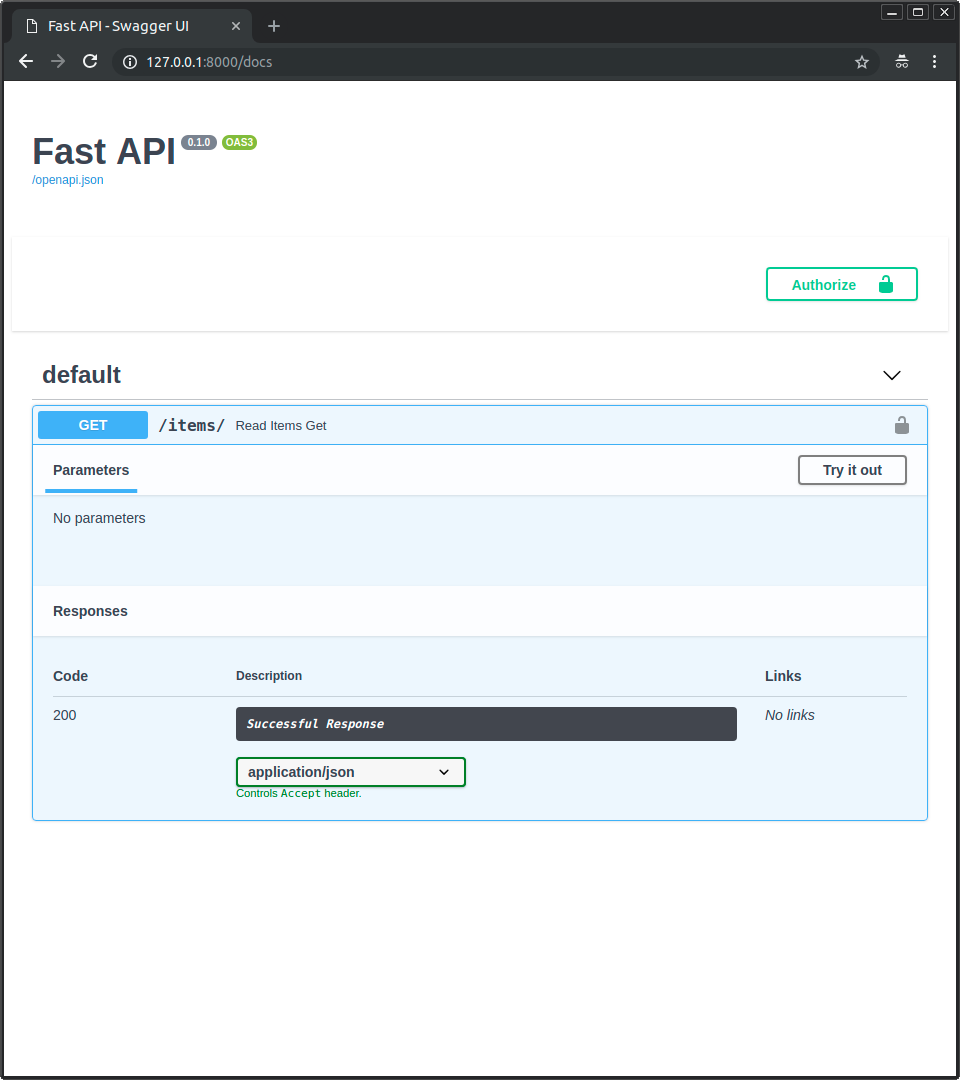
Section titled “Check it”Go to the interactive docs at: http://127.0.0.1:8000/docs.
You will see something like this:
And if you click it, you have a little authorization form to type a username and password (and other optional fields):
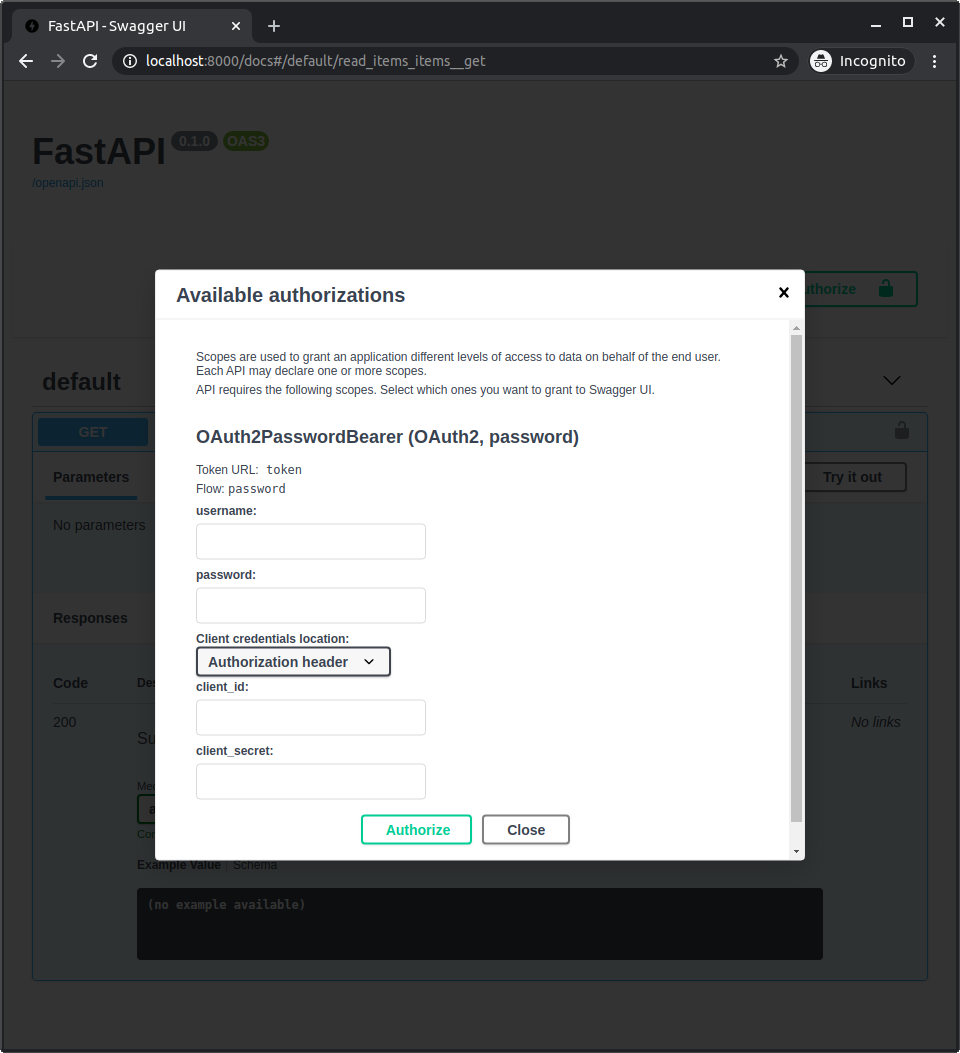
This is of course not the frontend for the final users, but it's a great automatic tool to document interactively all your API.
It can be used by the frontend team (that can also be yourself).
It can be used by third party applications and systems.
And it can also be used by yourself, to debug, check and test the same application.
The password flow
Section titled “The password flow”Now let's go back a bit and understand what all that is.
The password "flow" is one of the ways ("flows") defined in OAuth2, to handle security and authentication.
OAuth2 was designed so that the backend or API could be independent of the server that authenticates the user.
But in this case, the same FastAPI application will handle the API and the authentication.
So, let's review it from that simplified point of view:
- The user types the
usernameandpasswordin the frontend, and hitsEnter. - The frontend (running in the user's browser) sends that
usernameandpasswordto a specific URL in our API (declared withtokenUrl="token"). - The API checks that
usernameandpassword, and responds with a "token" (we haven't implemented any of this yet).- A "token" is just a string with some content that we can use later to verify this user.
- Normally, a token is set to expire after some time.
- So, the user will have to log in again at some point later.
- And if the token is stolen, the risk is less. It is not like a permanent key that will work forever (in most of the cases).
- The frontend stores that token temporarily somewhere.
- The user clicks in the frontend to go to another section of the frontend web app.
- The frontend needs to fetch some more data from the API.
- But it needs authentication for that specific endpoint.
- So, to authenticate with our API, it sends a header
Authorizationwith a value ofBearerplus the token. - If the token contains
foobar, the content of theAuthorizationheader would be:Bearer foobar.
FastAPI's OAuth2PasswordBearer
Section titled “FastAPI's OAuth2PasswordBearer”FastAPI provides several tools, at different levels of abstraction, to implement these security features.
In this example we are going to use OAuth2, with the Password flow, using a Bearer token. We do that using the OAuth2PasswordBearer class.
When we create an instance of the OAuth2PasswordBearer class we pass in the tokenUrl parameter. This parameter contains the URL that the client (the frontend running in the user's browser) will use to send the username and password in order to get a token.
from typing import Annotated

from fastapi import Depends, FastAPI
from fastapi.security import OAuth2PasswordBearer

app = FastAPI()

oauth2_scheme = OAuth2PasswordBearer(tokenUrl="token")


@app.get("/items/")
async def read_items(token: Annotated[str, Depends(oauth2_scheme)]):
return {"token": token}This parameter doesn't create that endpoint / path operation, but declares that the URL /token will be the one that the client should use to get the token. That information is used in OpenAPI, and then in the interactive API documentation systems.
We will soon also create the actual path operation.
The oauth2_scheme variable is an instance of OAuth2PasswordBearer, but it is also a "callable".
It could be called as:
oauth2_scheme(some, parameters)So, it can be used with Depends.
Use it
Section titled “Use it”Now you can pass that oauth2_scheme in a dependency with Depends.
from typing import Annotated

from fastapi import Depends, FastAPI
from fastapi.security import OAuth2PasswordBearer

app = FastAPI()

oauth2_scheme = OAuth2PasswordBearer(tokenUrl="token")


@app.get("/items/")
async def read_items(token: Annotated[str, Depends(oauth2_scheme)]):
    return {"token": token}
This dependency will provide a str that is assigned to the parameter token of the path operation function.
FastAPI will know that it can use this dependency to define a "security scheme" in the OpenAPI schema (and the automatic API docs).
What it does
Section titled “What it does”It will go and look in the request for that Authorization header, check if the value is Bearer plus some token, and will return the token as a str.
If it doesn't see an Authorization header, or the value doesn't have a Bearer token, it will respond with a 401 status code error (UNAUTHORIZED) directly.
You don't even have to check if the token exists to return an error. You can be sure that if your function is executed, it will have a str in that token.
You can try it already in the interactive docs:
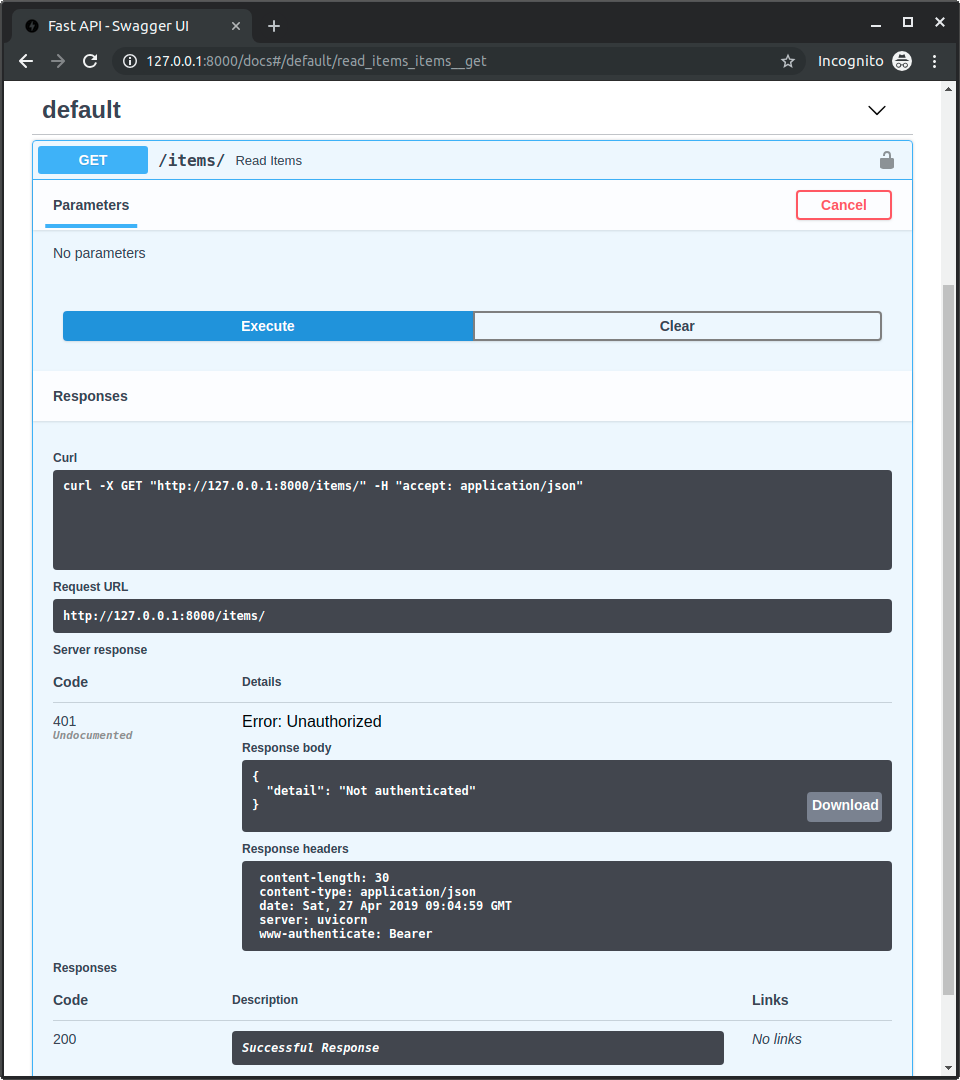
We are not verifying the validity of the token yet, but that's a start already.
So, in just 3 or 4 extra lines, you already have some primitive form of security.